

Room2Roam is your guide to RV travel adventures off the beaten path. Learn how to turn your land into a money-making opportunity by hosting RVers seeking unique, off-grid escapes. Get tips on RV hosting, chat with fellow hosts and RVers, and discover the latest on RV life from the CurbNTurf community.

Popular articles

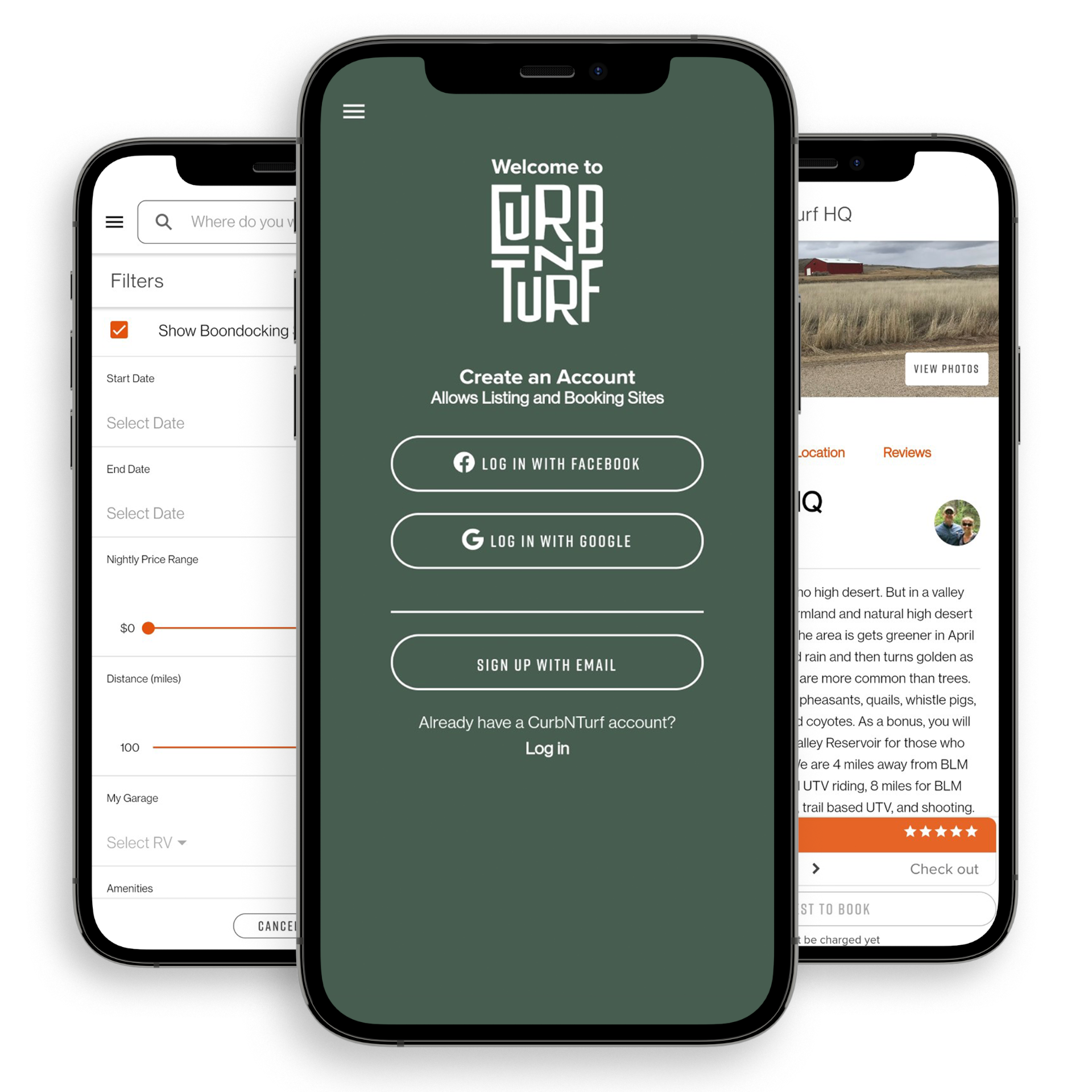
FREE TO DOWNLOAD,
FREE TO USE.


Earn Money with RV Access (Sign Up with CurbNTurf)
If you’ve ever thought about monetizing your unused land, CurbNTurf offers a straightforward way to do it. By listing your property, you open the doors to RV travelers seeking convenient, affordable sites. Maybe you’re near popular hiking trails, rivers, or scenic landscapes—those unique selling points can help you stand out.
- Ideal for Private Landowners
- City or countryside, your land can become a sought-after overnight stay.
- Great for those looking to diversify income without massive upfront investments.
- Custom A La Carte Options
- From fresh water hookup to firewood bundles, you can offer extra amenities.
- These add-ons provide an additional revenue stream and enhance guests’ experiences.
- Simple Setup & Management
- List your property at www.curbnturf.com/host.
- Set your nightly rates, define house rules, and even manage bookings—all from one platform.
Why It Matters:
RV travelers appreciate the flexibility of having more options than just traditional campgrounds. In turn, you—as a host—gain an opportunity to earn extra income by leveraging your land’s natural assets and location.
Already Hosting on CurbNTurf? Level Up with a Google Business Profile
Standing out in the hospitality world is no small feat—especially if you’re a host on CurbNTurf, where eclectic lodging options abound. From scenic campgrounds to charming cabins, each listing has its own unique draw. One powerful way to rise above the competition is by leveraging a Google Business Profile (GBP). This digital asset not only boosts your local visibility on Google Maps and Search, but also reassures potential guests that you’re a credible and active host. Let’s dive into the step-by-step process of setting up and optimizing your GBP so you can amplify bookings and customer trust.
Key Takeaways
- Set Up a Dedicated Google Account: Keep hosting and personal info separate to simplify management.
- Verify Your Listing: A verified GBP appears more prominently in local searches.
- Stay Consistent: Match your property name, contact details, and amenities with CurbNTurf.
- Use Attributes & Photos: Show off your property's best features so travelers know what to expect.
- Engage Often: Encourage reviews, update Google Posts, and monitor insights to keep improving.
Laying the Foundation
Create or Use a Dedicated Google Account
Your journey begins with having the right Google account. If you don’t already have one, head over to accounts.google.com and create an account specifically for your hosting activities. Separating business from personal keeps you organized—especially if you’re sharing access with co-hosts or team members. If you already use Gmail or other Google services, decide whether your existing account is appropriate or if a fresh, business-focused account would be better.
Why It Matters
A dedicated account simplifies communication and helps avoid login mix-ups. It also centralizes management tools like Google Drive, YouTube, and—most importantly—your Google Business Profile.
Gather Key Information Before You Begin
Before diving into your GBP, compile crucial details about your property:
- Name, Address, and Phone (NAP): Must be consistent with your CurbNTurf listing and any other online directories.
- Property Categories & Amenities: Think about which labels best describe your listing (e.g., “RV Park," "Vacation Rental,” “Campground,” “Pet-Friendly”).
- High-Quality Photos: Show off your most appealing features, such as outdoor views, cozy interiors, or unique setup (e.g., a yurt under the stars).
This prep work ensures a smoother setup process and fewer corrections down the line.
Step-by-Step Setup
1. Sign In to Google Business Profile
Go to business.google.com and log in with your chosen account. You’ll land on the main dashboard, where you can add and manage one or multiple business listings. If you operate more than one CurbNTurf property—say, a lakeside cabin and a forest campsite—this centralized dashboard will become your organizational hub.
2. Enter Essential Property Details
Once inside your GBP dashboard, add the critical facts that potential guests need:
- Property/Host Name: Align it precisely with what appears on your CurbNTurf listing to avoid confusion.
- Primary Category: Choose the single best descriptor for your property (e.g., “Campground” for rustic camping spots).
- Secondary Categories (Optional): If your property serves more than one function—like hosting events—add relevant labels (e.g., “Event Venue”).
Example Scenario:
If you run a lakeside campground that occasionally hosts small weddings or corporate retreats, you might pick “Campground” as your primary category and “Event Venue” as a secondary one.
3. Choose Your Location Settings
Decide whether your property requires a physical street address or if you prefer to define a service area:
- Service Area Business: If you’d rather not share an exact address, set a radius or list the general region you serve (ideal for more private or remote properties).
- Physical Address: Perfect for locations guests can drive to, such as a rentable cabin or campsite with a defined entrance.
When putting the physical address can encourage people to arrive without notice, so we recommend using the service area.
4. Verify Your Listing
Verification is non-negotiable if you want your listing to appear in public searches:
- Postcard Verification: The default method—Google sends you a postcard with a code to confirm your address. Expect it to arrive within a couple of weeks.
- Phone/Email (if available): A quicker verification route, but only certain categories and regions are eligible.
Why Verification Matters
- Visibility: Unverified listings rarely show up on Google Maps and attract fewer clicks.
- Security: You confirm your ownership, protecting your profile from unauthorized edits or takeovers.
5. Add Contact Details & Web Links
- Phone Number: List the number most likely to connect you with potential guests. Keep it updated to avoid missed opportunities.
- Website Link: Direct travelers to your primary booking page—whether that’s your CurbNTurf listing or a personal site. Consistent, direct links boost search engine trust and help guests book smoothly.
Optimizing Your Profile
Complete Every Section
A well-rounded GBP shows you’re serious about guest satisfaction. Key sections to fill out:
- Hours: Note check-in and check-out times, plus any seasonal hours (like closures during winter or holiday weekends).
- Description: Offer a concise yet compelling summary of what makes your spot special. Mention amenities, local attractions, and any unique highlights—like stargazing areas or natural hot springs.
- Photos/Videos: Visuals are crucial. Include both wide shots of the property and close-ups of inviting details (think: fire pits, cozy seating areas, or scenic viewpoints).
Use Keywords Wisely
To help Google’s algorithm recognize what you offer, sprinkle relevant keywords throughout your profile. Mention terms like “RV-friendly,” “family campsite,” or “retreat venue” naturally within your description. Steer clear of keyword stuffing—Google’s search bots are smart enough to detect unnatural phrasing, and potential guests can be turned off by repetitive language.
Maintain Consistency Across All Platforms
It can’t be stressed enough: if you announce a new amenity or revise pricing on CurbNTurf, mirror those updates on your Google Business Profile as soon as possible. Even small discrepancies—like a mismatch in phone number format—can raise doubts for would-be travelers. Consistency across websites, social media, and directories tells Google that your information is accurate and trustworthy.
Highlight Attributes and Special Perks for RV Travelers
Attributes like “Pet-Friendly,” “Kid-Friendly,” or “Wheelchair Accessible” instantly resonate with certain travelers. Those traveling with pets or families, for instance, often filter out listings that don’t meet their needs. By selecting attributes wisely, you capture a niche audience and stand out in local search results.
Monitor Your Insights
Once your profile gains traction, Google provides analytics (Insights) to show how users interact with your listing. Keep an eye on the number of calls, click-throughs to your website, and requests for directions. High engagement on specific photos or keywords might hint at what future guests value most—leverage that knowledge to refine your listing and CurbNTurf description.
“I was hesitant to set up a Google Business Profile, but once I did, I saw a 25% jump in booking requests in just two months,” says Sarah, who runs a lakeside cabin in the Pacific Northwest. “It’s amazing how quickly the extra exposure on Google can make a difference.”
Stay Engaged and Current
Encourage Reviews
Guest feedback doesn’t just build credibility—it also improves your ranking in search results. Ask satisfied visitors to share their experiences on both CurbNTurf and Google. Prompt and sincere replies—especially to negative reviews—demonstrate professionalism and a willingness to improve.
Use Google Posts
Think of these as micro-updates pinned to your listing. Highlight:
- Seasonal Promotions: A discount for fall foliage season, for instance.
- Special Events: Maybe you’re hosting a “Star-Gazing Weekend” or “Harvest Festival.”
- Community Involvement: Show your partnership with local businesses or environmental groups, which can appeal to eco-conscious travelers.
Add an FAQ Section
Cut down on repetitive inquiries by proactively answering common questions in your Google Business Profile. Whether it’s about campground rules, pet policies, or local water availability, having this info up front saves time for both you and your potential guests—and showcases your thorough approach.
Conclusion
A well-crafted Google Business Profile can be the difference between your listing blending in or standing out. By verifying your property, updating your details, and aligning your information with CurbNTurf, you project professionalism and authenticity. Travelers are more likely to choose a host who consistently provides accurate photos, transparent amenities, and easy booking options—and that’s exactly what an optimized GBP helps you achieve.
As you continue refining your listing, remember that regular engagement—posting updates, responding to reviews, and revising hours—signals to Google that your business is alive and well. This active presence can propel you even higher in local search rankings, connecting you with guests seeking a memorable stay. Combine a polished GBP with a top-notch CurbNTurf presence, and you’ll be well on your way to creating a seamless, trust-inspiring online brand that keeps your calendar booked year-round.